If you’ve just purchased a Premium subscription, recently switched devices, or are unable to see the subscription in the app, please follow the instructions below:
-
Log out of your current session
-
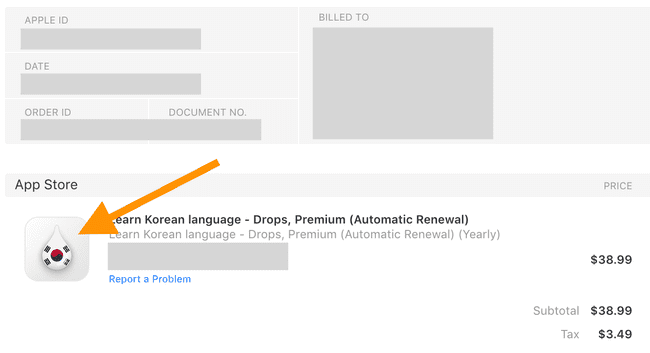
Make sure you log into the same app you made your purchase in (check your receipt to see which logo and app are tied to your Premium account)
-
Select the login option you used when you originally signed up (Apple ID, Google, Facebook, or email)
-
Go to your profile, and settings, scroll down, and tap "restore purchase"
If you need further assistance, please click on the widget (bottom left corner) or scroll down and click on "Submit a request". We will get back to you ASAP.
🌐 The English version of this article is the original. Translations into other languages are automatic, we apologize for any errors.
Updated